
Official example apps
These four apps are official examples made by the Panda Drawer team. They are open source: use them as they are, or practice by making them your own. Panda Drawer is not limited to these four. You can also add apps others share and apps you build with your AI.
In Panda Drawer, click Add application and choose from Recommended apps. Click Add to download an app. Clack is a good first choice because it works without an account or API key. You can also paste a GitHub or Gitee link into the App link field.
Clack
Choose a Chinese or English passage, type it line by line, then review your speed, accuracy, and mistakes.
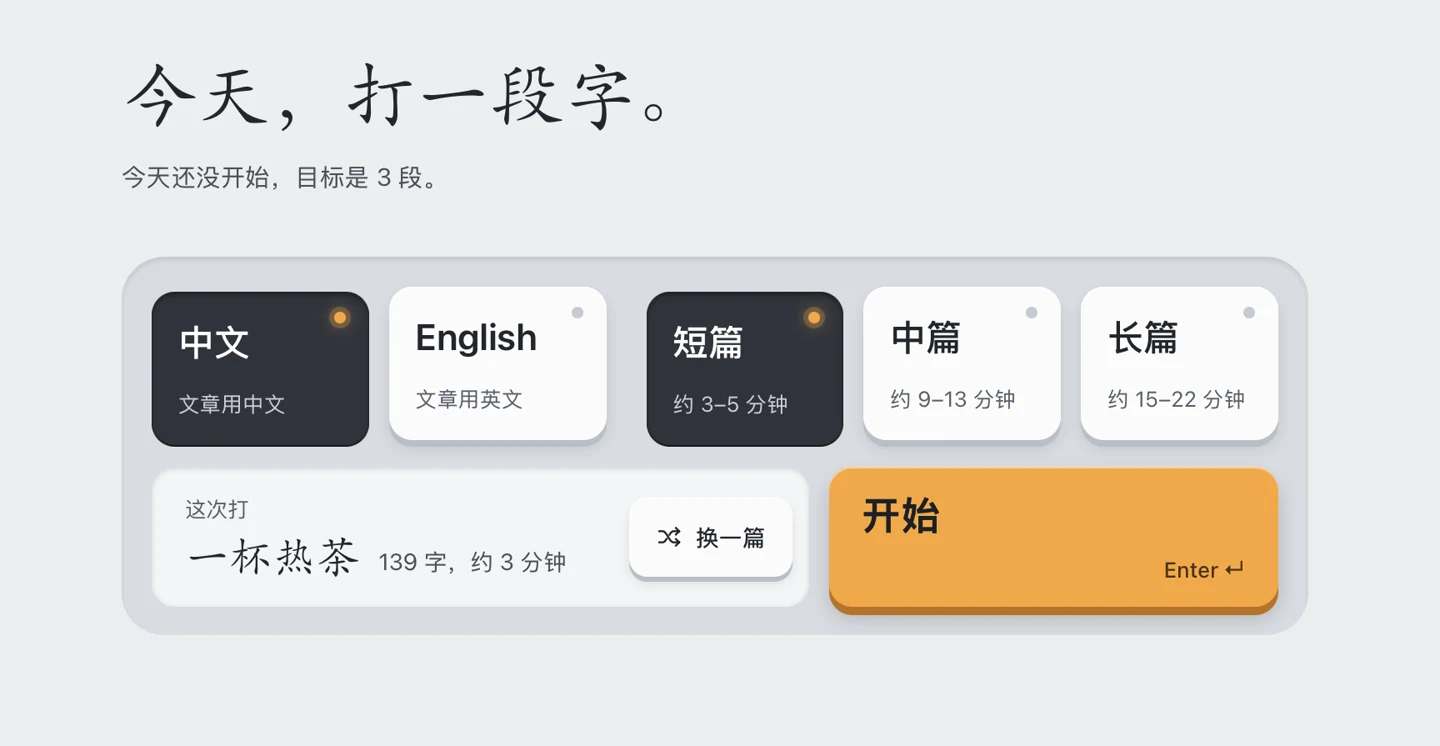
The screenshot shows Clack in Chinese. The app also offers an English interface.
What you need: No account, API key, or AI tool for regular practice.
Gleaner
Tell your AI what you want to read about. It gathers and organizes the news, and you can read, save, and leave feedback in Gleaner.
What you need: An AI tool that can search the web and read and write local files. Gleaner itself needs no API key.
Readio
Listen to English articles sentence by sentence, look up translations, and save sentences and words for later review.
What you need: A DeepSeek API key and a Fish Audio API key.
Radio Bob
Ask Bob for music. It picks songs and introduces them in Chinese.
What you need: A DeepSeek API key. Fish Audio is optional for spoken introductions. See the setup steps.